 LordHosting App
Connect the LordHosting mobile app to your server
Step-by-step guide to connect the LordHosting mobile app to your account. Create an API key from the panel and manage your servers from Android and iOS.
The official LordHosting app lets you monitor your servers' usage in real time, perform backups, manage files and interact with your servers' console - directly from your smartphone.
You can also add your friends so they can manage the server alongside you.
📥 Download the app
The LordHosting app is available for free on:
- Google Play Store (Android)
- App Store (iOS)
🔑 Create an API key to connect
To log into the app, you need to generate an API key from your game panel. Here's how:
1️⃣ Go to the "Account" tab
Log into your LordHosting game panel and head to the Account tab (game.lordhosting.fr/account).
2️⃣ Create an API key
In the API Credentials section, click Create to generate a new API key.
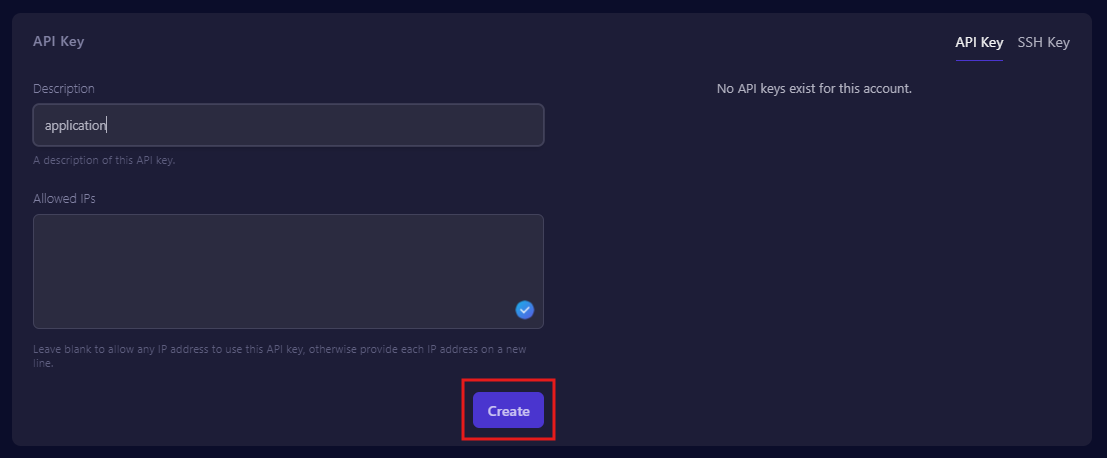
3️⃣ Copy the API key
A window will open with your API key. Copy it - it will only be displayed once. Then click Close.
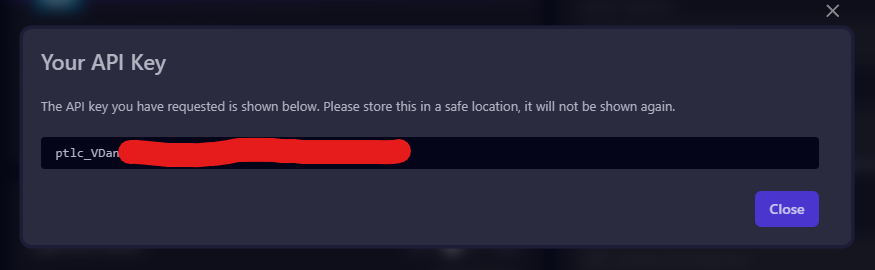
Store this key carefully. If you lose it, you'll have to generate a new one. Do not share it - it grants full access to your servers.
4️⃣ Paste the key into the app
Open the LordHosting app on your smartphone, paste the API key into the field, then tap Login.
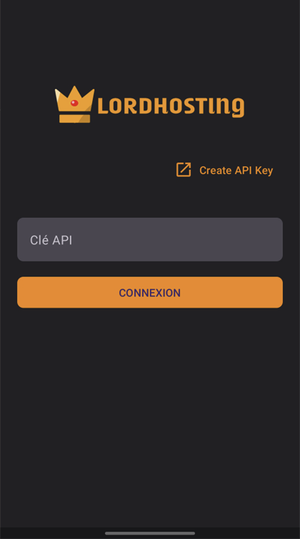
That's it! You now have access to all your servers from your phone: start/stop, monitor RAM/CPU, check logs, manage files and more.
🎮 What can you do with the app?
- Start / stop / restart your servers with one tap
- Track CPU and RAM usage in real time
- View and send commands via the console
- Manage your server files
- Run backups
- Invite friends to co-manage the server
❓ FAQ
Is the app free?
Yes, the LordHosting app is entirely free for all our customers. No additional subscription required.
Which devices does the app work on?
The app works on Android (Google Play) and iOS (App Store). It requires Android 8+ or iOS 14+.
How do I revoke an API key?
Go to game.lordhosting.fr/account, find your key in the list of API Credentials and click the delete icon. The key will be immediately revoked.
Can multiple people manage the same server?
Yes. From the game panel, add your friends as sub-users on your server. They can then generate their own API key and access the server from the app with their own credentials.
Don't have a LordHosting server yet? Check out our Minecraft hosting plans starting at €3.99/month with one-click install and the mobile app included.















