 Minecraft Nukkit
How to update your Minecraft Nukkit server
{ "Step-by-step tutorial to update your Minecraft Nukkit server to the latest version": "backup, JAR download, restart and post-update testing.", "date": "2026-03-31" }
First, you need to download the latest version of Nukkit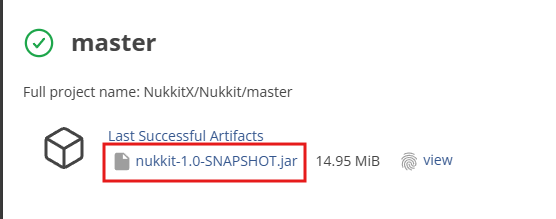
Next, go to your game panel, log in, and follow these steps:
- Stop your server.
- Click on the "File manager" tab to access your server files.
- Delete the "nukkit-1.0-SNAPSHOT.jar" file.
- Press the "Upload" button at the top of your page and select the file you just downloaded.
- Start your server.
Need reliable hosting for your updates? Minecraft server from €3.99/month with easy updates and 7/7 support at LordHosting.
Back to Minecraft Nukkit
Was this article helpful?















